Showing posts with label geek. Show all posts

Wednesday, May 13, 2009

All-time great sci-fi movies of the videotape era

When it came to figuring out what to do with my life, there never really was any doubt about what I’d become—an engineer. I remember the numerous times I stoically opened those steel wind-up alarm clocks, to see what made them tick, or took apart music systems (even my VCR, when I was all of 10 years old, to find out how to un-jam that tape!). Needless to say, not all of these exploits were successful—in fact, most were outright disasters. Over the years, I left behind a sizeable wake of cannibalized motors from toys, wrecked stereo systems, and bed sheets that bore scars from trysts with 240-volt electricity (yes, there was the time I nearly got a nice domestic fire going—and we didn’t have a fireplace).

Sure I had my fair share of chastising, but through it all mum and dad did all they could to ensure that I had a steady supply of science and technology influences throughout my formative years—from the junior microscope sets, to telescopes, to electronic do-it-yourself kits. I was, indeed, blessed.

But when it came to igniting a spark of interest in the budding scientist in me, the biggest influencers had to have been movies—I believe the 80s produced some of the most spectacular science fiction movies ever created. Looking back, the fact that the special effects were nowhere as advanced as today’s productions did in no way detract the sheer innovation and soul that characterized many of those movies. Being the era of VHS (where copying was cumbersome and downloading was out of the question), every movie was treasured, and the act of watching it was a family affair, often followed by hours and days of animatedly discussing, dissecting and reliving the storyline.

In no particular order, here’s a list of what I believe are some of the greatest sci-fi movies of the videotape era. If you ever get a chance to watch any of these, I guarantee that they’ll be pure, family entertainment. And if you have a budding techie sitting on the couch in your living room, (s)he’s bound to have great memories of them in the years ahead.

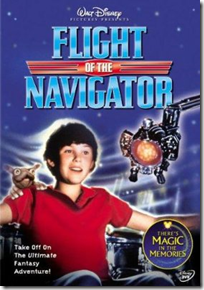
Flight of the Navigator (1986)
A fascinating story about a UFO that selects and befriends a boy to help it get back home. I still think that this is one of the most amazing-looking UFOs ever shown on celluloid. Period.
FlightOfTheNavigator
D.A.R.Y.L. (1985)
Another movie that centers around a young boy, who’s the subject of NASA experiments that make him hyper-intelligent. And the best part of this movie (spoiler alert ahead!)—in the end he flies a Lockheed SR-71 Blackbird—my favorite aircraft, bar none!
DARYL
TRON (1982)
Conceptually, this movie was way ahead of its time—a computer geek gets mysteriously transported into a computer, and must battle his way to get out alive—by fighting against its games, one on one! This movie had one of the most spectacular effects of its time, and the action sequences (on those bike thingies, especially), were awesome!
BTW: TRON was a function used in good ol’ programming languages like BASICA, meaning TRaceON—it was used for debugging!
TRON
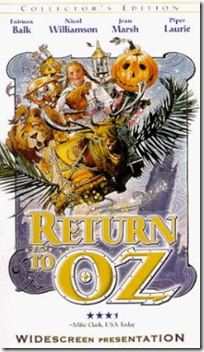
Return to Oz (1985)
If you liked the Wizard of Oz, you’re bound to love this movie. This isn’t a happy, bouncy continuation of the original, but instead puts Dorothy and her band of misfits in a darker, more sinister realm. Fascinating story, great characters.
ReturnToOz
Return of the Jedi (1983)
Which geek doesn’t revere this movie? This was actually the first Start Wars episode I watched, and I instantly fell in love with every aspect of it. After this movie, there was no looking back from Han Solo, the Light Sabres, and Vader.
ReturnOfTheJedi
Short Circuit (1986)
A charming movie about a battle robot that takes on human characteristics after a close encounter with a lightening bolt. Besides looking downright cute in its own right, this robot is actually quite evocative of our modern-day Wall-E.
ShortCircuit
Back to the Future (1985)
A sports car that doubles up as a time machine, hover skateboards, and a host of other cool gadgets—ingredients for one rocker of a sci-fi movie! Because of this movie, the gull-wing DeLorean was one of my favorite sports cars at the time. Arguably one of Michael J. Fox’ most memorable roles, this is one of those must-see, must-own pieces of cinemagic!
back_to_the_future
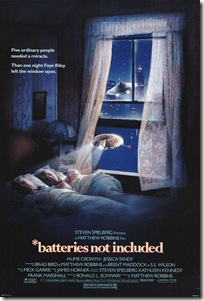
*batteries not included (1987)
Looking back, I think this is a grossly underrated movie—it’s a story about an adorable pair of extra-terrestrial robots that ‘adopt’ a tenement-full of misfits. A brilliant story, and great visual effects.
batteries_not_included
E.T.: The Extra-Terrestrial (1982)
Spielberg’s magnum opus. ‘nuff said.
ET
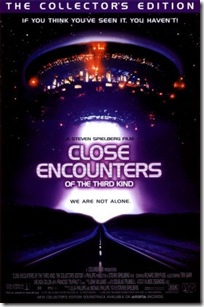
Close Encounters of the Third Kind (1977)
Answering all those questions surrounding aliens and UFOs, this movie was a complete eye-opener, and a visual tour de force of its time.
Close Encounters of the Third Kind

All images sourced from www.imdb.com

Tuesday, March 31, 2009

Audit your computer’s hardware and software

WinAudit Ever wanted to know the gory details of your computer’s hardware and software configuration without having to painstakingly study each of its components? If you’re a geek, that answer would be a resounding yes. If you’re not, it doesn’t hurt to know, right?

Even though this isn’t the most exciting of ways to spend your time, knowing what your computer consists of is knowledge. And that’s power! I use WinAudit—a useful freeware application that does exactly this. Sounds simple enough, and it is. But the level of detail it brings up in the audit report is quite amazing—be it the serial number of your computer’s optical drive or the exact stepping of the processor, this application quickly and efficiently generates a host of information about the target system.

The program is a snap to use—simply launch it, click the Options button to select the categories you want to audit, then click Audit. It will run for a couple of seconds, then display its findings in neat categories. You can also save this report in a variety of formats including PDF, CSV (for Excel), Text, HTML or even XML. Better yet, you can launch this program from the command line—meaning you can write a simple batch file, and make it do its work with a single click. Check the program’s help in the ‘Command Line Usage’ section for information on the numerous tags you can use for automated command line logging.

As an example, here’s how to create a batch file that launches the program, audits the most important system categories, and write a CSV file to the same location as the program:

  • Open Notepad
  • Type the following: WinAudit.exe /r=gPtabz /o=CSV
  • Save this file in the same directory as the WinAudit program, and name it Audit.bat

Simply run this batch file—the program silently audits your system and creates a detailed system report in the same directory. You can also copy the program and the batch file to a USB drive, and use it to quickly generate a report of several computers. If you’re a system administrator, you’ll find this immensely useful for quickly generating system audit reports of several computers. If you’re not, it’s a cool tool to learn about your computer’s detailed specifications. Also use it while buying a new computer or laptop to make sure you’re getting what you paid for!

Wednesday, February 18, 2009

Playing classic DOS games using Microsoft Virtual PC

If you were a teenager during the late 80s or early 90s, you'll be awash with a wave of nostalgia when you read these words: Dangerous Dave. Wolfenstein 3D. Doom. Prince. Zaxxon. Brings back memories, right? If you're still clueless, these are classic DOS-based games that used to take up a sizeable portion of our leisure time back in the day! Still don't know what I'm talking about? Well, DOS is a text-based PC operating system... oh, never mind--you're way too young to be reading this post! If you really must know, I'm talking about an era where the GUI was still several years away, a time when computers were built using 386 and 486 processors, with a whopping 8MB of RAM, and 240MB hard disks. *Sigh*... those were the days--the heady, primordial era of personal computing.

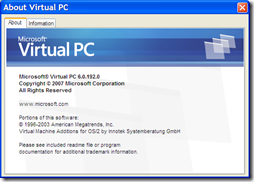
capture_17022009_234951 I revisited those days recently when I was experimenting with a cool application that lets you run any operating system--current, past, or upcoming--within your present Windows operating system. That's right, you can run an operating system as if it were an application! I'm talking about Microsoft Virtual PC--a small, free software that emulates another PC within yours. Sounds confusing? Well it isn't really. This application creates an isolated area in your system, within which you can install and run a completely different operating system as if it were another computer. You can even reboot it and watch it go through the boot-up POST sequence in it's own window!

You might have heard of a similar application called VMWare, which does the same thing, but VMWare is rather expensive compared to Microsoft Virtual PC, which is free. But then Virtual PC is primarily built to run Windows operating systems, of course.

VirtualPC_Win7_Win311Among other things, I used Virtual PC to install and experiment with a beta copy of the upcoming Windows 7 (Build 7000). Alongside this, I also created a Virtual PC running good ol' DOS 6.22, and dug up a whole load of DOS applications and games. I also located and installed an ISO of Windows for Workgroups 3.11! Click the screenshot above for a larger view--there's Windows 7 on the left, Widows 3.11 to the right, and the Virtual PC Console at the lower right, showing the two running operating systems. All of this was running on my Windows XP laptop.

Here's a quick run-through of how to create a Virtual PC:

1. Download Microsoft Virtual PC 2007 from here, then install it. Run the program and you'll see the Virtual PC Console.
On first run, you obviously won't have any Virtual Machines (VMs) installed--shown here are the two VMs I created.
To create a VM, click the New... button to launch the New Virtual Machine Wizard.
capture_17022009_235739
2. Click Next to proceed. capture_17022009_235938
3. This screen displays choices for creating a new VM, using default settings to create a VM, and adding an existing VM. Select the first option, and click Next. capture_18022009_000105
4. Type in a name and select the location for your new VM, then click Next. capture_18022009_000326
5. This screen helps you configure the environment for your VM, depending on the operating system you want to install in it. Select the appropriate OS from the drop-down menu, or select 'Other'. Click Next to proceed. capture_18022009_000441
6. You can go with the recommend RAM for your VM, or specify the amount. Your choice will obviously depend on how much RAM your computer has, and the requirements of the OS you want to install in the VM.
Note: Before allotting RAM to the VM, make sure you leave aside enough for your host operating system!
capture_18022009_001111
7. The Wizard will now create a virtual hard disk, in which you'll be installing your virtual OS! Choose to create a new virtual hard disk, click Next... capture_18022009_001758
8... and specify the location and size of this hard disk. capture_18022009_001807
9. Finally, click Finish, and the wizard will create your Virtual PC! capture_18022009_001929

Your new Virtual PC will now appear in the Virtual PC Console. Double-click it to start it, and you'll see it going through the boot sequence. Obviously, on first run it will search for a boot device and will prompt you accordingly. Before you can use the Virtual PC, you'll need to format the virtual hard disk, and load an operating system on it. To start, download a bootable CD or floppy disk image from here, and load the appropriate ISO file using the Floppy | Capture Floppy Disk Image or the CD | Capture ISO image. You should now be able to format the virtual hard disk as you would a normal one. After that, load your operating system and configure it to your liking!

Here are a few screenshots from my 'Classic DOS games' virtual machine.

DOS_nostalgia

For more resources on Microsoft Virtual Machine see here and here. Also see here for special information on running MS-DOS on Virtual PC 2007. Enjoy!

Thursday, February 5, 2009

Cubeecraft: Geeked-out cutouts!

CubeeCraft I've always liked paper folding, and have been following arts like Origami ever since the early school days. I know--it's not a guy thing, but I was interested in it from the mathematical standpoint. Or so I explained. Even the simple act of flying paper airplanes was complicated with extended pursuits of trying to hone them for prolonged flight, or funky acrobatics!
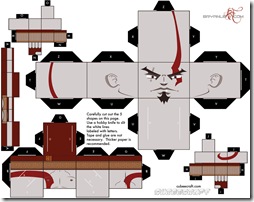
Then a couple of days ago, I came across this ultra-cool site, and was bitten by the paper folding bug once again. The author of this site has pretty much nailed down the art of creating some of the coolest paper characters I've seen. And what characters! Classics like Mario (of the Super Brothers fame), Darth Vader, Sonic the Hedgehog, Spiderman, Superman... heck, there's even Kratos (from God of War), Pinky (from Pinky and the Brain), and Obama! If you're particularly skilled in digital illustration, you can also download a blank cutout template and try your hand at creating your own character!

Kratos Creating one of these characters is relatively simple--head over to the Cubeecraft Web site, download a cutout template, print it at 150dpi on an A4 cardstock paper (thick paper begets a longer-lasting character), and use a pair of scissors and a blade to carefully cut out the shapes. Each character is composed of five or more 'sections' that must be folded and assembled into the final character. Best of all, the sections have a glue-less design so the process is relatively clean (discounting the cutout shrapnel, of course).

The FAQ explains the assembly clearly, but know that you'll require at least an hour to complete each character. Your mileage may vary depending on your dexterity in wielding cutting instruments, and your patience through this exercise--creating some of those slits and tabs can be quite painstaking.

But if done correctly, the end results are guaranteed to leave you stoked and addicted. Gotta... build... one... more... Cubee...!

Related Posts with Thumbnails