 Given the multitude of choices these days, its easy to get lost in all the jargon while shopping for an LCD or Plasma television.
Here's the best way to approach it: start by grabbing a pencil and paper and putting down a few 'wants'. This will help you narrow the field. After that, it's all about figuring out the right specifications (doesn't matter if you source these from the Internet or from your friendly neighborhood electronics store), and the rest is easy.
- What are you primarily going to use the display with (Cable TV, DVD, Blu-ray, Computer)?
Depending on your answers, you will need to look for the presence of the following 'input ports' on the display. This is what you'll use to connect video sources to the display.
For Cable TV: This is the lowest-quality video source you can run through your display--all it needs is a Composite video or S-Video port, and the TFT/Plasma display will most likely have it. This is how you'll connect your set top box to the display.
For DVD: For the best picture quality, look for a Component video port. Of course, your DVD player will also need to have one.
For Blu-ray: A Blu-ray player provides a true high-definition video source (don't buy an HD-DVD player if you're thinking of it, because the standard is all but dead). For the best high-def video experience, look for a display featuring an HDMI port. This port delivers hi-def video and hi-def multi-channel audio on a single cable. Of course, the Blu-ray player should also have this port (it most probably will).
Talking about cables, you can go cheap, or you can splurge on the good stuff--but a home theater system (like a chain) is only as strong as its weakest link! Look for cable brands like Monster, Kimber Kable etc. It pays to invest in good cabling.
For a computer: You'll want the display to have a DVI or a VGA input (in decreasing order of display quality). Of course, your computer will also need to have a similar video output, and you'll require the corresponding cable. - Are you constrained by installation space?
If it's in a corner in your room, you might have to measure it out and decide on a maximum screen size. Also consider the feasibility of wall mounting. - Do you have an existing audio system or will you primarily use the display?
If you have a surround sound system, you needn't look for good integrated speakers in your display. Otherwise the best approach is to audition the display's audio capability at the showroom itself--don't trust the PMPO ratings! - LCD or Plasma?
It doesn't really make a difference these days, because both technologies have significantly evolved. I'd recommend LCD because it's generally cheaper, offers a higher resolution, delivers better contrast, uses lesser power, and is physically smaller and lighter compared to a Plasma display with similar specifications.
- Screen size: 32-inches is a good place to start, but go in for the largest you can afford (after considering point 2 above).
- Resolution: At least 1,355 x 768 (For optimal HD support, resolution should be 1,920 x 1080 or more)
- High definition standard: 720p support (1080p support is ideal -- not 1080i, but 1080p. This signifies 'progressive scan', which delivers visibly higher quality compared to 'interlaced scan'.)
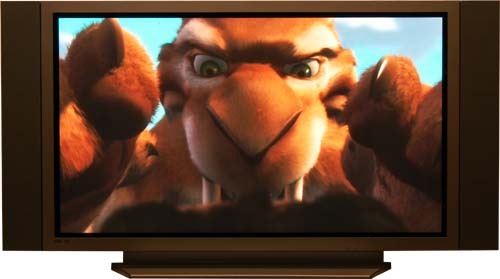
- Contrast ratio: This term is often misleading because all those advertised ratings of 'dynamic contrast ratio' is marketing fluff. Contrast ratio is the ability of a display to faithfully produce dark blacks and bright whites--the higher this ratio the more true-to-life the picture quality. But don't trust the numbers: instead, carry along your favorite DVD which contains scenes containing plenty of contrast, and have the sales person play it on the display. Here's a trick--use a 'THX certified' DVD movie such as Ice Age (if you don't own it, rent it out), and run the THX Optimizer which is part of the video extras. While this little tool primarily helps correctly setting up the audio and video system in your home theater, it is also an excellent (and easy-to-run) test to gauge audio and video capability. Follow the on screen instruction and you'll figure it out.


